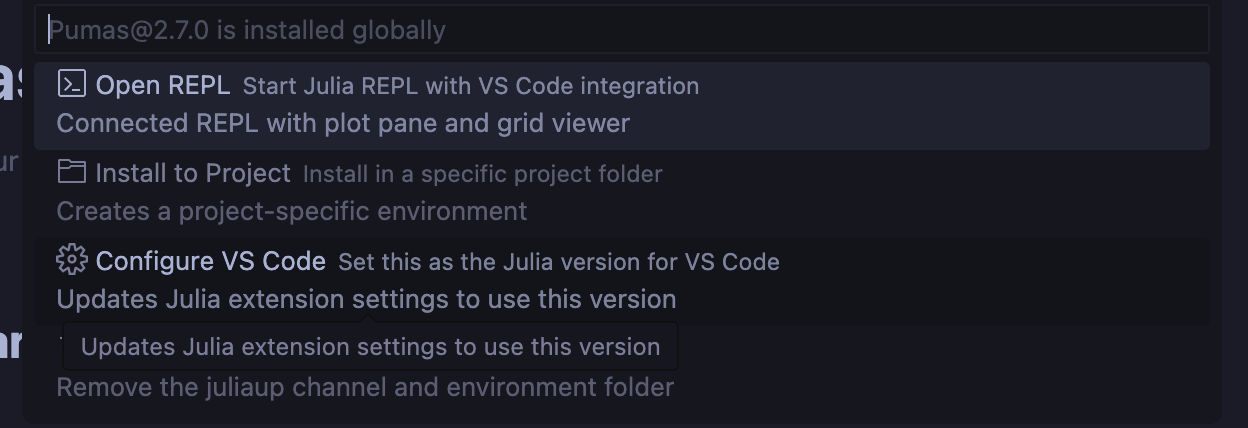
When I run Pumas 2.7, it shows error message below. Can anyone help me out? Thanks!
julia> using Pumas
Precompiling Pumas…
Info Given Pumas was explicitly requested, output will be shown live
ERROR: LoadError: SystemError: opening file “C:\Users\perry\.julia\packages\Pumas\3PP9k\src\Pumas.jl.1.11.6.jls”: No such file or directoryamicQuantitiesExt
Stacktrace:
[1] systemerror(p::String, errno::Int32; extrainfo::Nothing)
@ Base .\error.jl:176
[2] systemerror
@ .\error.jl:175 [inlined]
[3] open(fname::String; lock::Bool, read::Bool, write::Nothing, create::Nothing, truncate::Nothing, append::Nothing)
@ Base .\iostream.jl:295
[4] open
@ .\iostream.jl:277 [inlined]
[5] open(fname::String, mode::String; lock::Bool)
@ Base .\iostream.jl:358
[6] open(fname::String, mode::String)
@ Base .\iostream.jl:357
[7] open(::typeof(Base._crc32c), ::String, ::Vararg{String}; kwargs::@Kwargs{})
@ Base .\io.jl:408
[8] open
@ .\io.jl:407 [inlined]
[9] macro expansion
@ .\loading.jl:2175 [inlined]
[10] macro expansion
@ .\lock.jl:273 [inlined]
[11] _include_dependency(mod::Module, _path::String; track_content::Bool, path_may_be_dir::Bool)
@ Base .\loading.jl:2173
[12] _include_dependency
@ .\loading.jl:2158 [inlined]
[13] #include_dependency#1109
@ .\loading.jl:2203 [inlined]
[14] include_dependency(path::String)
@ Base .\loading.jl:2202
[15] top-level scope
@ C:\Users\perry.julia\packages\Pumas\3PP9k\src\Pumas.jl:2
[16] include
@ .\Base.jl:562 [inlined]
[17] include_package_for_output(pkg::Base.PkgId, input::String, depot_path::Vector{String}, dl_load_path::Vector{String}, load_path::Vector{String}, concrete_deps::Vector{Pair{Base.PkgId, UInt128}}, source::Nothing)
@ Base .\loading.jl:2881
[18] top-level scope
@ stdin:6
in expression starting at C:\Users\perry.julia\packages\Pumas\3PP9k\src\Pumas.jl:1
in expression starting at stdin:6
✗ NCA
✗ NCA → NCADynamicQuantitiesExt
✗ Pumas
0 dependencies successfully precompiled in 9 seconds. 531 already precompiled.
ERROR: The following 3 direct dependencies failed to precompile:
Pumas
Failed to precompile Pumas [4f2c3c20-a4ac-11e9-067b-e5872d3484cf] to “C:\Users\perry\.julia\compiled\v1.11\Pumas\jl_308A.tmp”.
ERROR: LoadError: SystemError: opening file “C:\Users\perry\.julia\packages\Pumas\3PP9k\src\Pumas.jl.1.11.6.jls”: No such file or directory
Stacktrace:
[1] systemerror(p::String, errno::Int32; extrainfo::Nothing)
@ Base .\error.jl:176
[2] systemerror
@ .\error.jl:175 [inlined]
[3] open(fname::String; lock::Bool, read::Bool, write::Nothing, create::Nothing, truncate::Nothing, append::Nothing)
@ Base .\iostream.jl:295
[4] open
@ .\iostream.jl:277 [inlined]
[5] open(fname::String, mode::String; lock::Bool)
@ Base .\iostream.jl:358
[6] open(fname::String, mode::String)
@ Base .\iostream.jl:357
[7] open(::typeof(Base._crc32c), ::String, ::Vararg{String}; kwargs::@Kwargs{})
@ Base .\io.jl:408
[8] open
@ .\io.jl:407 [inlined]
[9] macro expansion
@ .\loading.jl:2175 [inlined]
[10] macro expansion
@ .\lock.jl:273 [inlined]
[11] _include_dependency(mod::Module, _path::String; track_content::Bool, path_may_be_dir::Bool)
@ Base .\loading.jl:2173
[12] _include_dependency
@ .\loading.jl:2158 [inlined]
[13] #include_dependency#1109
@ .\loading.jl:2203 [inlined]
[14] include_dependency(path::String)
@ Base .\loading.jl:2202
[15] top-level scope
@ C:\Users\perry.julia\packages\Pumas\3PP9k\src\Pumas.jl:2
[16] include
@ .\Base.jl:562 [inlined]
[17] include_package_for_output(pkg::Base.PkgId, input::String, depot_path::Vector{String}, dl_load_path::Vector{String}, load_path::Vector{String}, concrete_deps::Vector{Pair{Base.PkgId, UInt128}}, source::Nothing)
@ Base .\loading.jl:2881
[18] top-level scope
@ stdin:6
in expression starting at C:\Users\perry.julia\packages\Pumas\3PP9k\src\Pumas.jl:1
in expression starting at stdin:6
NCA
Failed to precompile NCA [29142fd5-e082-4e84-b14f-4d7220ed3f6b] to “C:\Users\perry\.julia\compiled\v1.11\NCA\jl_2614.tmp”.
ERROR: LoadError: SystemError: opening file “C:\Users\perry\.julia\packages\NCA\f0i6X\src\NCA.jl.1.11.6.jls”: No such file or directory
Stacktrace:
[1] systemerror(p::String, errno::Int32; extrainfo::Nothing)
@ Base .\error.jl:176
[2] systemerror
@ .\error.jl:175 [inlined]
[3] open(fname::String; lock::Bool, read::Bool, write::Nothing, create::Nothing, truncate::Nothing, append::Nothing)
@ Base .\iostream.jl:295
[4] open
@ .\iostream.jl:277 [inlined]
[5] open(fname::String, mode::String; lock::Bool)
@ Base .\iostream.jl:358
[6] open(fname::String, mode::String)
@ Base .\iostream.jl:357
[7] open(::typeof(Base._crc32c), ::String, ::Vararg{String}; kwargs::@Kwargs{})
@ Base .\io.jl:408
[8] open
@ .\io.jl:407 [inlined]
[9] macro expansion
@ .\loading.jl:2175 [inlined]
[10] macro expansion
@ .\lock.jl:273 [inlined]
[11] _include_dependency(mod::Module, _path::String; track_content::Bool, path_may_be_dir::Bool)
@ Base .\loading.jl:2173
[12] _include_dependency
@ .\loading.jl:2158 [inlined]
[13] #include_dependency#1109
@ .\loading.jl:2203 [inlined]
[14] include_dependency(path::String)
@ Base .\loading.jl:2202
[15] top-level scope
@ C:\Users\perry.julia\packages\NCA\f0i6X\src\NCA.jl:2
[16] include
@ .\Base.jl:562 [inlined]
[17] include_package_for_output(pkg::Base.PkgId, input::String, depot_path::Vector{String}, dl_load_path::Vector{String}, load_path::Vector{String}, concrete_deps::Vector{Pair{Base.PkgId, UInt128}}, source::Nothing)
@ Base .\loading.jl:2881
[18] top-level scope
@ stdin:6
in expression starting at C:\Users\perry.julia\packages\NCA\f0i6X\src\NCA.jl:1
in expression starting at stdin:6
NCADynamicQuantitiesExt
Failed to precompile NCADynamicQuantitiesExt [f1f2a2c1-374b-58df-b526-d2e714f901a2] to “C:\Users\perry\.julia\compiled\v1.11\NCADynamicQuantitiesExt\jl_2C7F.tmp”.
ERROR: LoadError: SystemError: opening file “C:\Users\perry\.julia\packages\NCA\f0i6X\ext\NCADynamicQuantitiesExt.jl.1.11.6.jls”: No such file or directory
Stacktrace:
[1] systemerror(p::String, errno::Int32; extrainfo::Nothing)
@ Base .\error.jl:176
[2] systemerror
@ .\error.jl:175 [inlined]
[3] open(fname::String; lock::Bool, read::Bool, write::Nothing, create::Nothing, truncate::Nothing, append::Nothing)
@ Base .\iostream.jl:295
[4] open
@ .\iostream.jl:277 [inlined]
[5] open(fname::String, mode::String; lock::Bool)
@ Base .\iostream.jl:358
[6] open(fname::String, mode::String)
@ Base .\iostream.jl:357
[7] open(::typeof(Base._crc32c), ::String, ::Vararg{String}; kwargs::@Kwargs{})
@ Base .\io.jl:408
[8] open
@ .\io.jl:407 [inlined]
[9] macro expansion
@ .\loading.jl:2175 [inlined]
[10] macro expansion
@ .\lock.jl:273 [inlined]
[11] _include_dependency(mod::Module, _path::String; track_content::Bool, path_may_be_dir::Bool)
@ Base .\loading.jl:2173
[12] _include_dependency
@ .\loading.jl:2158 [inlined]
[13] #include_dependency#1109
@ .\loading.jl:2203 [inlined]
[14] include_dependency(path::String)
@ Base .\loading.jl:2202
[15] top-level scope
@ C:\Users\perry.julia\packages\NCA\f0i6X\ext\NCADynamicQuantitiesExt.jl:2
[16] include
@ .\Base.jl:562 [inlined]
[17] include_package_for_output(pkg::Base.PkgId, input::String, depot_path::Vector{String}, dl_load_path::Vector{String}, load_path::Vector{String}, concrete_deps::Vector{Pair{Base.PkgId, UInt128}}, source::Nothing)
@ Base .\loading.jl:2881
[18] top-level scope
@ stdin:6
in expression starting at C:\Users\perry.julia\packages\NCA\f0i6X\ext\NCADynamicQuantitiesExt.jl:1
in expression starting at stdin:6